Onyx
Description
Onyx is an on-chain fund administration platform that provides full-suite support to crypto-native asset management organizations & enables transition of traditional finance asset management organizations to finance 3.0.
Services
UI/UX Design
Timeline
August 2023 - Present
Client
21shares
Team
2 Product Designers, 2 Product Managers, 13 Software Engineers, 2 QA Engineers
Context
I worked on Onyx V2 which focused on the re-architecture and re-design of the software architecture & front- end designs aimed at helping with scalability, improving system performance, creating an architectural runway and improving user experience for SaaS Onyx. I was focused on a few key tasks: evaluating Onyx V1 for any critical UX issues/errors, creating a new sitemap based on new features we wanted to add, creating a new design system to address the visual refresh, re-designing existing flows, and creating new ones that adopt the new design system.
Our Research Phase
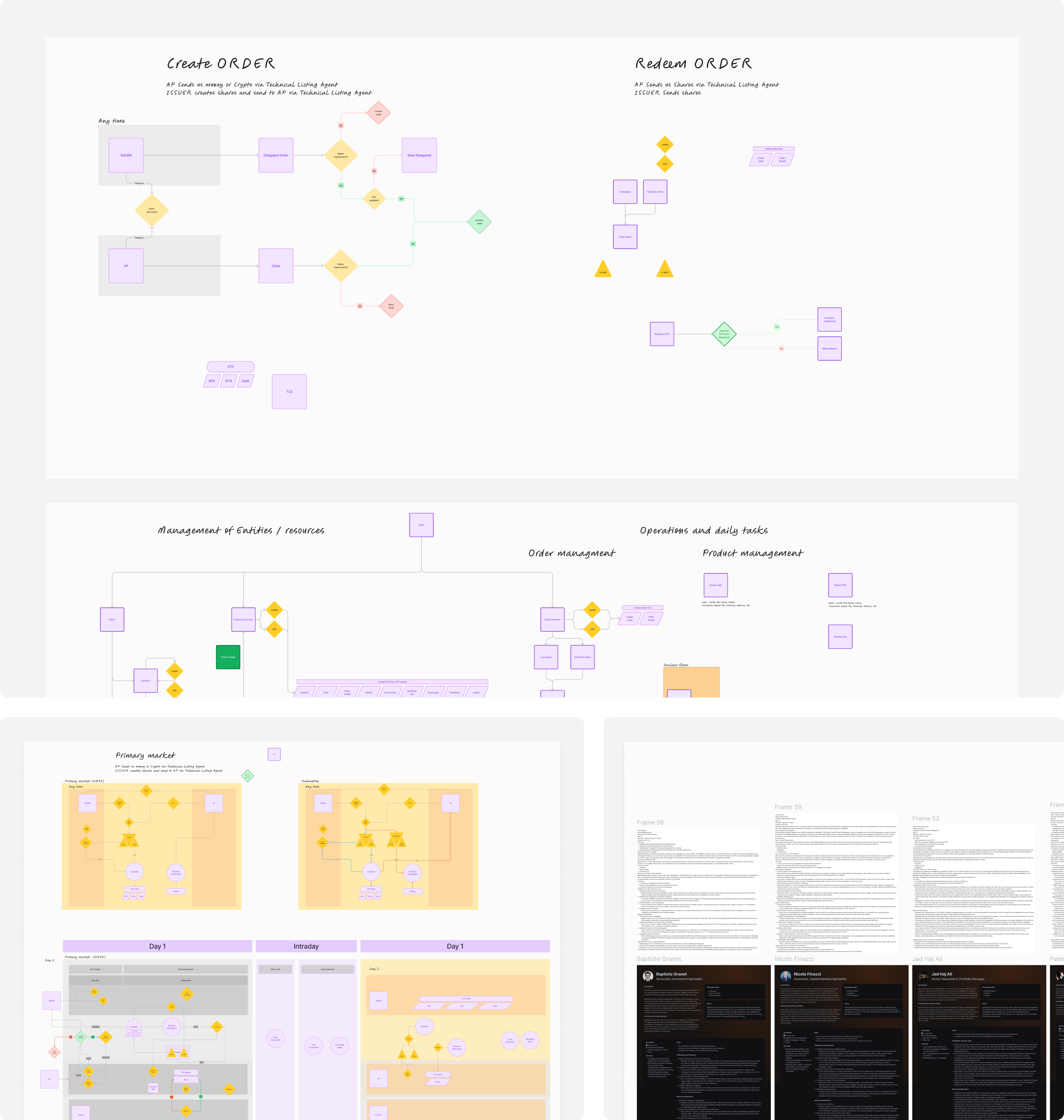
One of the first and most critical parts of this process was evaluating Onyx V1 through user interviews and heuristic evaluation to get myself familiar with the current product and identify key areas of opportunities for both the business as well as for design. The outcome of this stage was producing updated and improved user flows and multiple different sitemaps based on the user type and their goals.
Designing Onyx
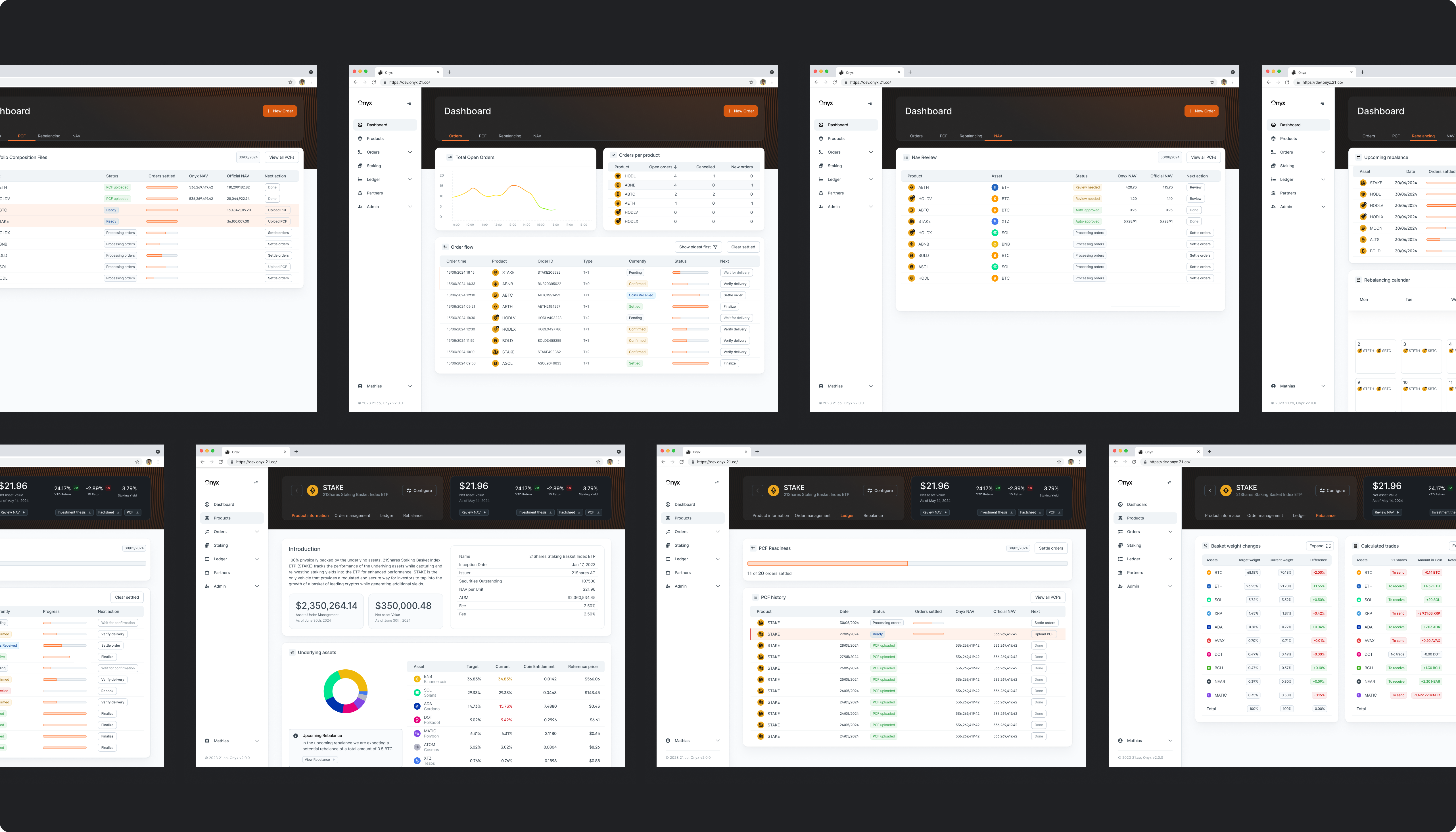
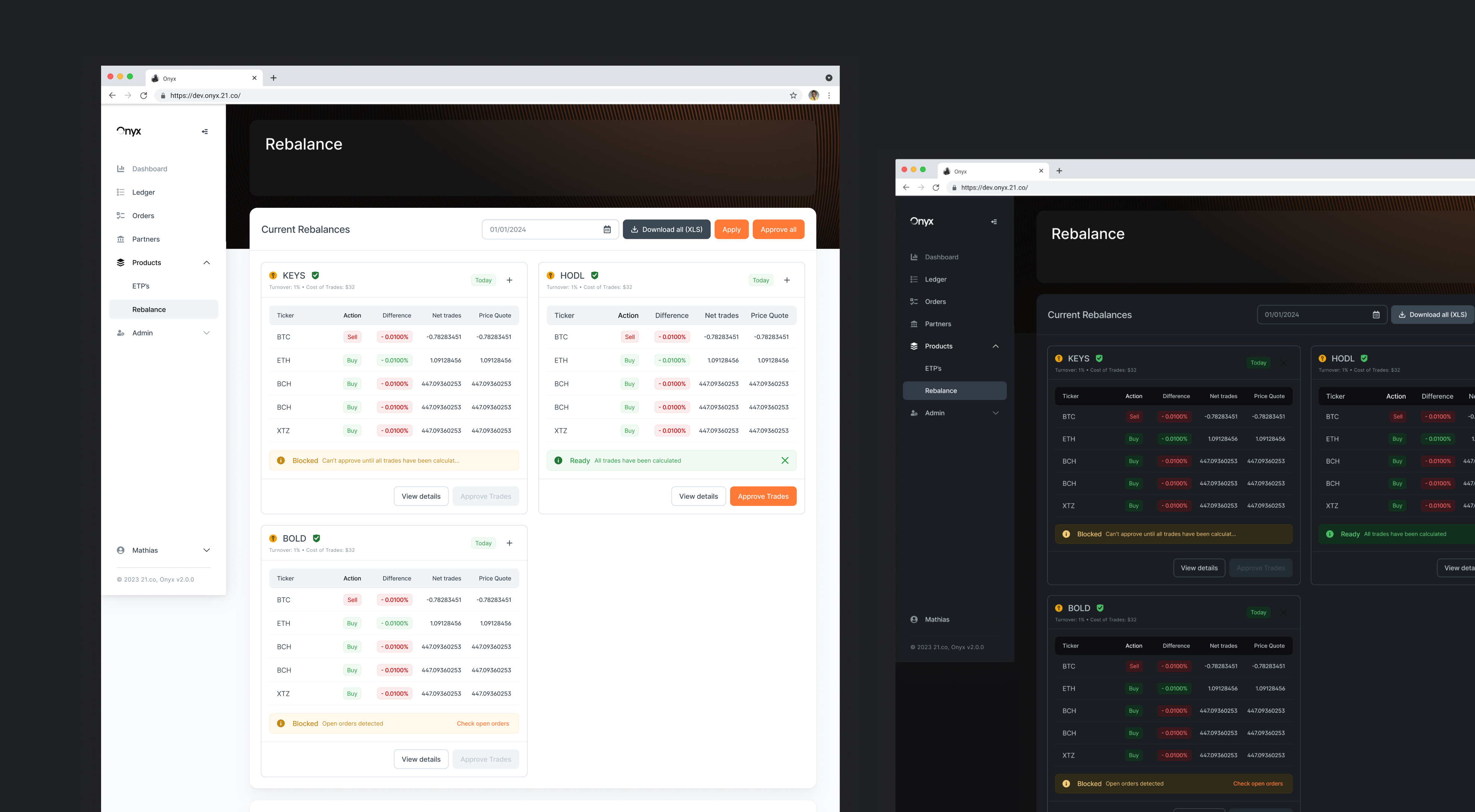
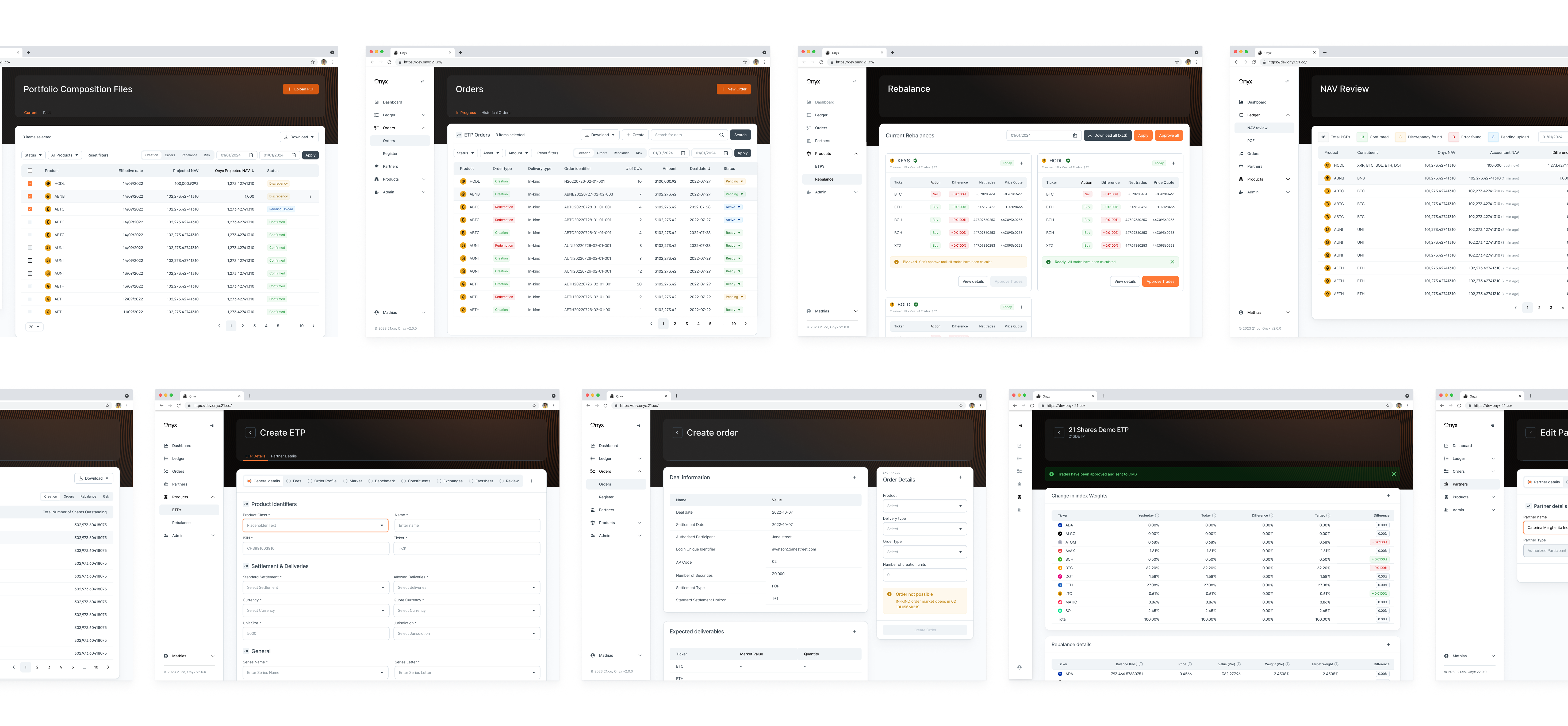
The design portion of Onyx V2 was split between migrating and redesigning Onyx V1 flows into Onyx V2 and adding new features into Onyx V2 directly. New features that were added into Onyx V2 adopted the new design style as well as incorporated itself into the sitemap seamlessly while adding a lot of user and business value as a whole. A large part of this migration included redesigning Onyx's front end features and the overall look and feel/UI. We decided to address the UI to feel more approachable and friendly while at the same time not making too many structural changes for a lot of our users were happy with the current architecture and patterns that already existed. Additionally, we've added both a light and dark design approach to make it easy for users to adjust to their preference.

Creating a Dashboard
One of the issues that we wanted to address is when the user lands on the platform, the landing page has no existing or current value besides just displaying how many products we have within the platform. Therefore, we wanted to broach the idea of having a dashboard instead that adjusts based on the user type which we identified in our research rounds. We're currently still ideating but the images below helps capture that effort.
Example flow - Rebalancing Underlying Assets
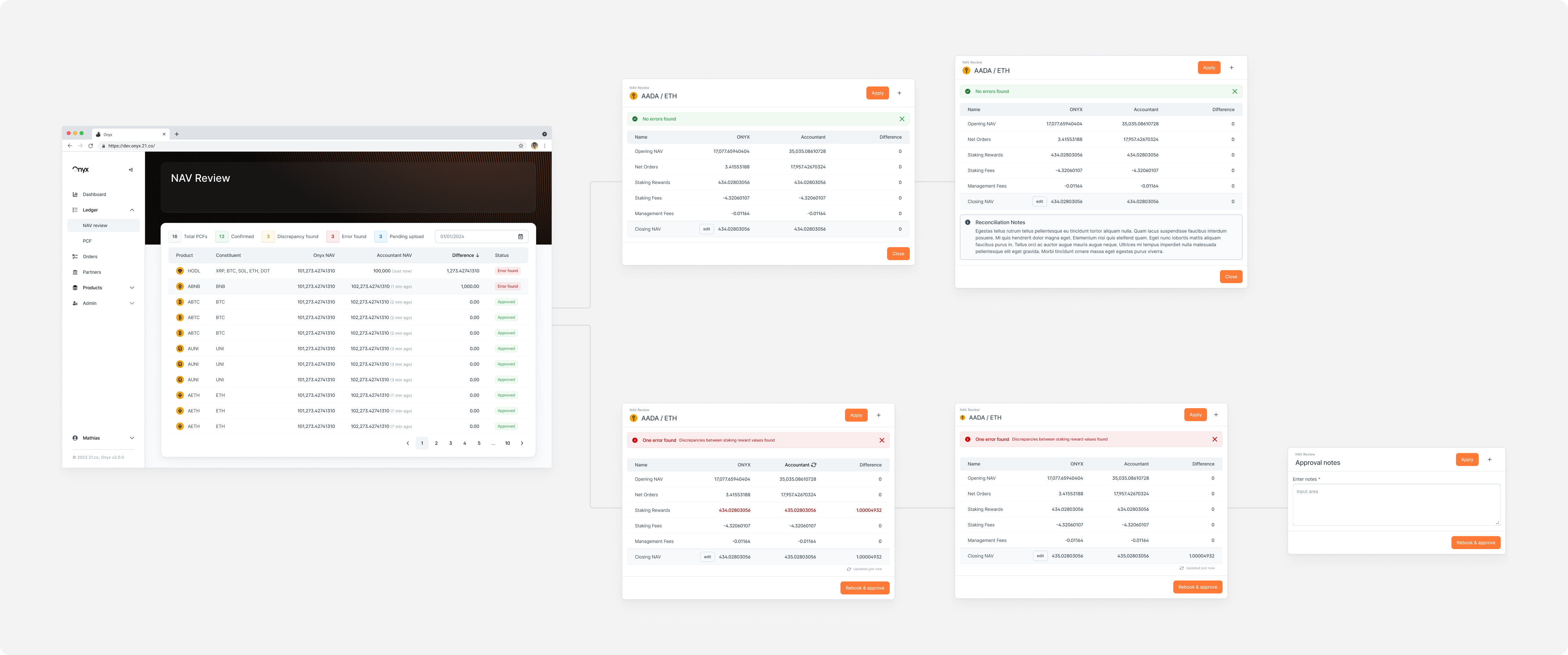
While the structure in each of our flows is relatively similar, one of the biggest challenges for the team was understanding the complexities behind each one and the number of actions a user needs to take for each one. Below is an example of how complex each of our flows can get to.
Onyx's New Design System
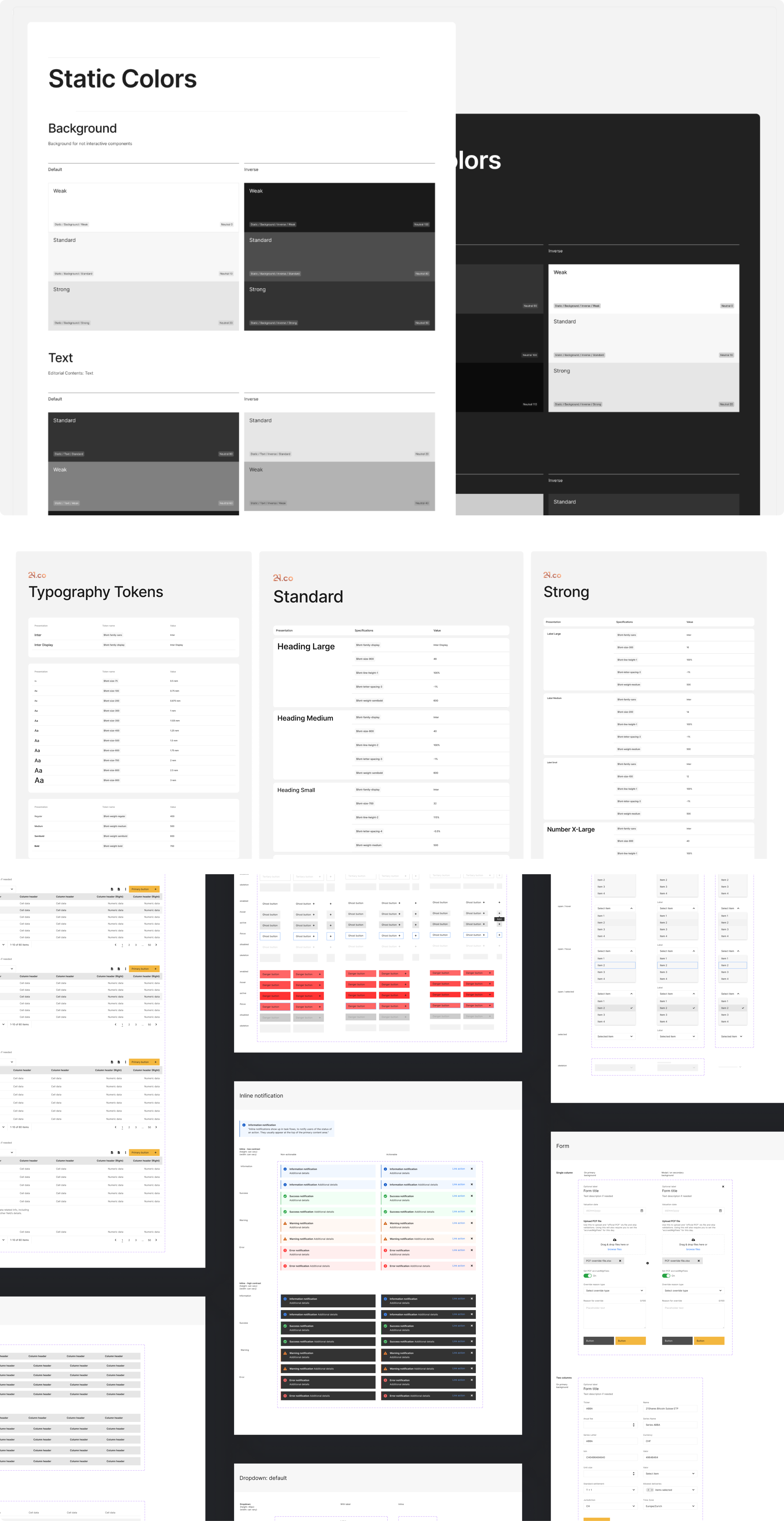
On top of thinking about the visual refresh of Onyx as a platform, we needed to think about the longterm consistency and lifespan of these design changes. There was no central design system within Figma for the design team to utilize as a base and only what the front end team had built on their own so it was decided that we would hire another designer specifically to tackle creating the design system in conjunction to the work that was being done to migrate and revamp Onyx as a whole. A design system was built from the ground up: focusing on everything from colors to forms to buttons and was used to redesign Onyx.
Our Next Steps
With the Onyx redesign, we were focused not only on maintaining the usability of the platform, but also making critical design updates and changes. Moving forward, while implementing key design features such as the dashboard, we want to be able to sync what we have within our design system and within our Figma designs to what is live on Onyx.